
I’ve created many landscapes in Unreal Engine and never fully understood each unit. I just went by the Epic guidelines and never thought about it in depth until now. Here are my notes for posterity:
Resources:
- Epic Landscape Technical Guide
- Epic World Building Guide
- Video 1: Unreal Engine 5.3 : Landscapes and Understanding Settings (Getting Started)
- Video 2: Unreal Engine 5.3 : Landscape Regions for World Partition (Updated)
- Video 3: Creating Open World Landscapes with Partitioning and Level Streaming in Unreal Engine 5
Unit Hierarchy
Ignoring world partitioning for now, these are the basic units of a landscape:
Quads make up a section,
which make up a component,
which make up a landscape.
Or
A landscape is made up of components,
which is made up of sections,
which is made up of quads.
Each quad is roughly 1 m x 1 m (this isn’t precise for some reason; see note below)
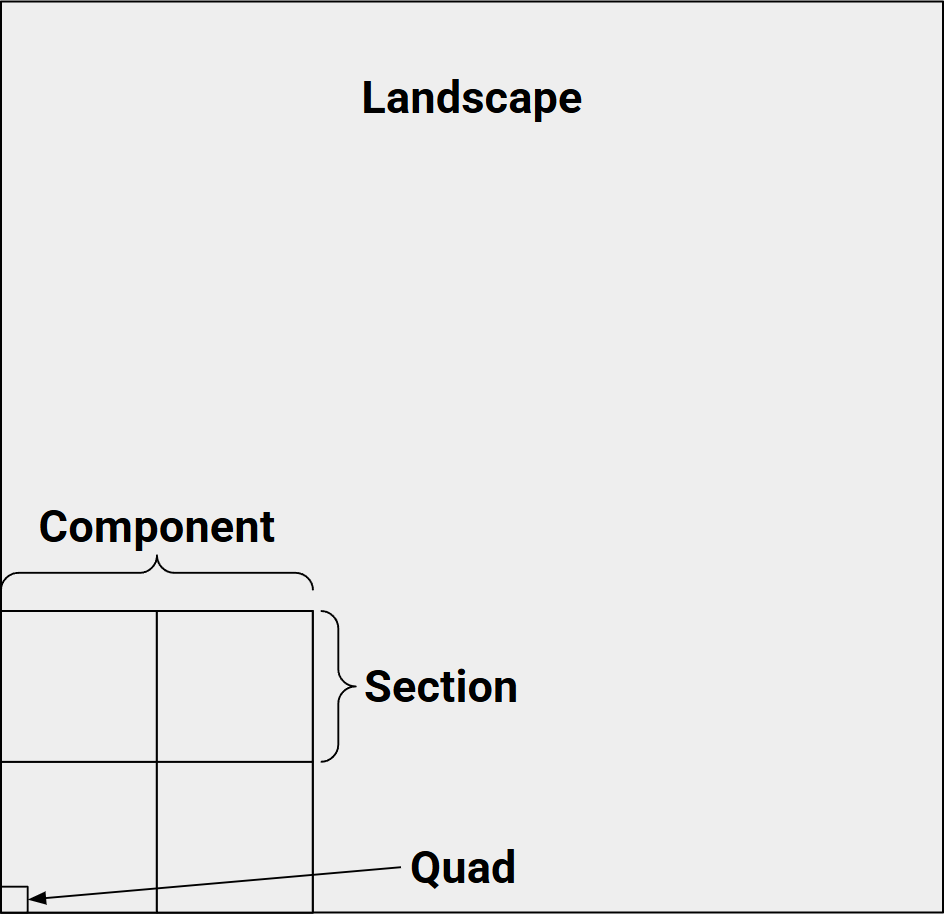

Section Size: The number of quads which make up each section
Sections Per Component: The number of sections which make up each component. (the above image is 2×2 sections)
Number of Components: The number of components which make up the landscape.
Each of these multiply to determine the final Overall Resolution of the landscape.
Note: why doesn’t the math work out exactly? If we do the math on the default 4033 x 4033 landscape numbers, we get:

🤷♂️
The “Total Components” number in Unreal is simply the result of multiplying the number of components. For example, 32 x 32 = 1,024.
See the Epic Landscape Technical Guide for Epic’s recommendation for best practices.
World Partitioning
World Partition Grid Size: Number of components per landscape streaming proxy per axis. These are represented by the yellow squares in the Unreal editor landscape window.
World Partition Region Size: Number of components per Landscape World Partition Region per axis. These are the regions/chunks that are loaded and unloaded based (typically) on player location. This is not indicated in the editor window (for some reason?)
The number of partition regions is calculated as:

For example, 32 x32 components and a World Partition Region Size of 8 will result in 4×4 partition regions (32 / 8 = 4 regions per axis = 16 total regions)
The default settings for a 4033×4033 landscape has a World Partition Size of 16 with 32×32 components, which results in 2×2 partitions (4 total partitions). That’s probably not enough for most use cases.